Plotnine (compat.plotnine)
To use Plot:
In [1]:    from pathlib import Path
   ...:
   ...:    import xarray as xr
   ...:    import plotnine as p9
   ...:
   ...:    from genno import Computer, Quantity
   ...:    from genno.compat.plotnine import Plot
   ...:
Create a subclass that overrides
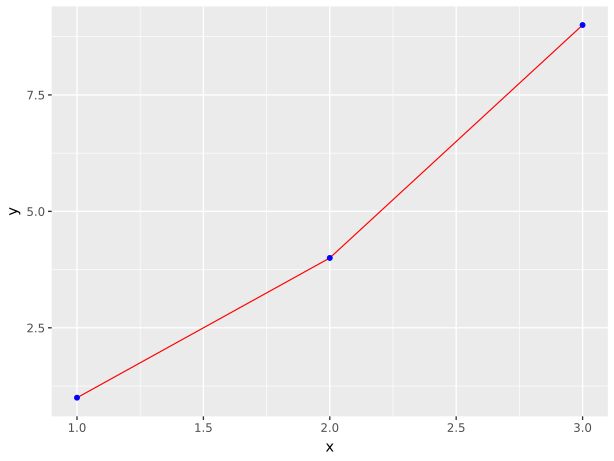
Plot.generate(),Plot.basename, and optionallyPlot.inputs.In [2]: class DemoPlot(Plot): ...: basename = "plotnine-demo" ...: suffix = ".svg" ...: ...: def generate(self, x, y): ...: data = x.merge(y, on="t") ...: return ( ...: p9.ggplot(data, p9.aes(x="x", y="y")) ...: + p9.geom_line(color="red") ...: + p9.geom_point(color="blue") ...: ) ...:
add()the class to aComputerdirectly. ThePlot.add_tasks()method handles connecting thePlot.inputstoPlot.save():# Set up a Computer, including the output path and some data In [3]: c = Computer(output_dir=Path(".")) In [4]: t = {"t": [-1, 0, 1]} In [5]: c.add("x:t", Quantity([1.0, 2, 3], coords=t, name="x")) Out[5]: <x:t> In [6]: c.add("y:t", Quantity([1.0, 4, 9], coords=t, name="y")) Out[6]: <y:t> # Add the plot to the Computer In [7]: c.add("plot", DemoPlot, "x:t", "y:t") Out[7]: 'plot' # Show the task that was added In [8]: c.graph["plot"] Out[8]: (<bound method Plot.save of <__main__.DemoPlot object at 0x7fd3e4339af0>>, 'config', 'x:t', 'y:t')
get()the node. The result is the path the the saved plot(s).In [9]: c.get("plot") Out[9]: PosixPath('plotnine-demo.svg')
- class genno.compat.plotnine.Plot[source]
Class for plotting using
plotnine.- classmethod add_tasks(c: Computer, key: Key | str, *inputs, strict: bool = False) Key | str[source]
Add a task to c to generate and save the Plot.
Analogous to
Operator.add_tasks().
- basename = ''
File name base for saving the plot.
- abstractmethod generate(*args, **kwargs)[source]
Generate and return the plot.
A subclass of Plot must implement this method.
- Parameters:
args (
collections.abc.Sequenceofpandas.DataFrameorother) –One argument is given corresponding to each of the
inputs.Because
plotnineoperates on pandas data structures,save()automatically converts anyQuantityinputs topandas.DataFramebefore they are passed togenerate().
- inputs: Sequence[Hashable] = []
Keysreferring toQuantitiesor other inputs accepted bygenerate().
- classmethod make_task(*inputs)[source]
Return a task
tupleto add to a Computer.Deprecated since version 1.18.0: Use
add_tasks()instead.- Parameters:
*inputs (.Key or
strorcollections.abc.Hashable, optional) – If provided, overrides theinputsproperty of the class.- Returns:
The first, callable element of the task is
save().The second element is
"config", to access the configuration of the Computer.The third and following elements are the inputs.
- Return type:
- path: Path | None = None
Path for file output. If it is not set,
save()will populate it with a value constructed fromconfig["output_dir"],basename, andsuffix. The implementation ofgenerate()in a Plot sub-class may assign any other value, for instance one constructed at runtime from theinputs.
- save(config, *args, **kwargs) Path | None[source]
Prepare data, call
generate(), and save to file.This method is used as the callable in the task generated by
add_tasks().Added in version 1.24.1: This method uses
disable_copy_on_write()to work around has2k1/mizani#38. This may cause issues if other computations (for instance, of the inputs to the Plot) rely on Pandas’ copy-on-write behaviour being enabled.
- save_args: dict[str, Any] = {'verbose': False}
Keyword arguments for
plotnine.ggplot.save.
- suffix = '.pdf'
File extension; determines file format.